
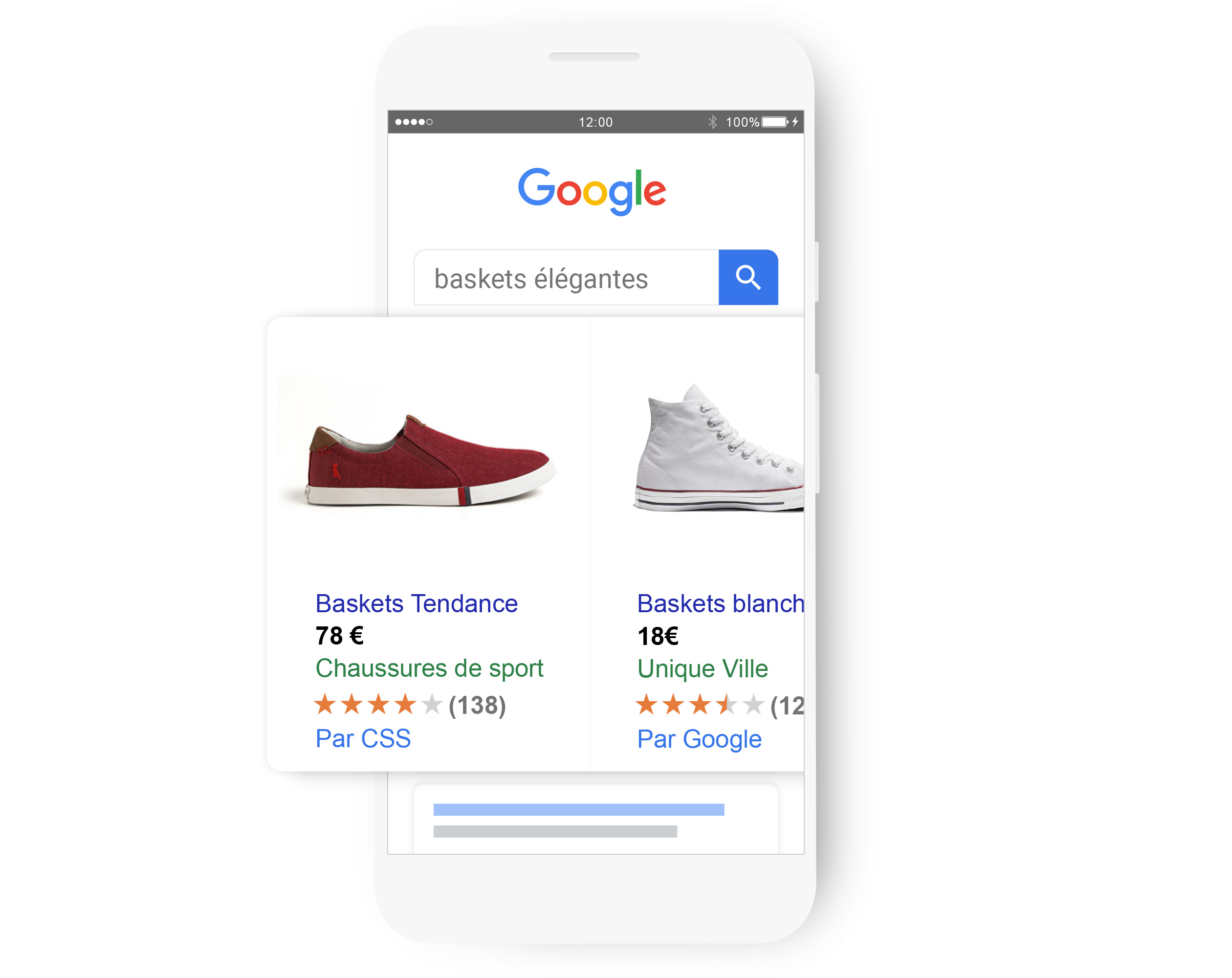
Google Ads Shopping campaigns are a powerful strategy for promoting your products online and capturing the attention of potential buyers. These campaigns bring your Shopping ads to life through striking images, compelling titles, a clear price, and your store name, for each product you want to highlight. To understand how to optimize these campaigns, see our guide on Google Ads ad extensions.
The question remains: how do you optimize your Shopping campaigns for peak performance? What advanced methods can you use to raise the quality of your Shopping ads? We'll explore these questions in this article, aimed at advertisers who already have experience with Shopping campaigns and are looking to take their expertise to the next level.
We'll cover the following areas:
- Understanding the advanced structure of Shopping campaigns
- Optimizing your product feed for maximum performance
- Advanced bidding strategies and adjustments
Understanding the Advanced Structure of Shopping Campaigns
To get the most out of your Shopping campaigns, it's essential to master their structure and learn how to configure them based on your goals. You have three levels of segmentation for effectively managing these campaigns: the product level, the product group level, and the targeting level.
Segmentation at the product level
The product level refers to each item you want to sell on Google Shopping. Each product has a unique identifier specified in your product feed. You have the flexibility to include or exclude specific products from your campaigns based on your strategies and priorities. For example, it may be wise to exclude products with a low conversion rate, out-of-stock items, or low-margin products.
Using custom product groups
At the product group level, you can group your items by shared criteria such as category, brand, product type, or price. These groupings are based on the attributes in your product feed. Product groups make it easier to organize your Shopping campaigns and adjust your bids based on each group's performance. You could, for instance, decide to increase bids for groups with an excellent conversion rate or high demand.
The importance of precise targeting
The targeting level offers options that let you refine the audience for your Shopping campaigns. You can set criteria such as location, network, device, schedule, and targeted audiences. Proper targeting ensures your ads are served to users most likely to be interested in your products and make a purchase. You could, for example, target previous visitors to your site, people who have performed similar searches, or those belonging to a well-defined demographic group.
Optimizing Your Product Feed for Maximum Performance
To excel with your Shopping campaigns, once you've mastered their structure, the heart of your success lies in optimizing your product feed. This is a critical file where all your product data is stored, including name, description, price, and image. The relevance and quality of your Shopping ads depend on the accuracy of your product feed. Here are some tips for fine-tuning your product feed to boost campaign performance.
Improving product titles and descriptions
The two cornerstones of your feed are your product titles and descriptions. They allow Google to effectively match your products with user searches. Your titles should be concise, accurate, and include relevant keywords. For tips on optimizing your campaigns, check out our article on which KPIs to track in digital marketing campaigns.
Competitive pricing strategies
The price of your products is a key factor that directly influences the success of your Shopping campaigns. To stay competitive, your prices must not only hold up against the competition but also match consumers' perception of value. It's essential to monitor market prices and adjust yours based on demand fluctuations, seasonal changes, inventory levels, or ongoing promotions. Using competitive monitoring or repricing tools can make this task much easier.
Optimizing product images
Your product image is the first visual contact with the potential buyer. Make sure your images are high quality, eye-catching, and accurately represent the product while following Google's guidelines. Avoid low-resolution, over- or under-exposed images, and any that contain text or logos. Prioritize photos that showcase the product at its best, on a neutral background, highlighting its key features.
Using additional product attributes
To enrich your product feed and boost the effectiveness of your Shopping campaigns, don't hesitate to add supplemental attributes. These provide valuable information about your products, including availability, shipping terms, ratings, and promotions. These details can significantly increase click-through rate, conversion rate, and average basket value. For example, the shipping attribute can clarify shipping costs, the rating attribute can display customer reviews, and the promotion_id attribute can highlight available discounts or special offers.
Advanced Bidding Strategies and Adjustments
Optimizing your product feed is essential, but to maximize the performance of your Shopping campaigns, bid optimization and adjustments should not be overlooked. These tools give you effective control over the cost and volume of your clicks, directly influencing your return on investment (ROI). To learn more about adjustments, visit our article on ad extension optimization.
Exploring smart bidding strategies
Smart bidding strategies use Google's machine learning to optimize your bids in real time, taking into account context and the likelihood of conversion. They save valuable time and simplify campaign management while improving results. Depending on your goals, you can choose from various strategies, such as Target CPA, Target ROAS, Maximize Clicks, or Maximize Conversions. An important prerequisite is having conversion tracking set up and a sufficient conversion history.
Bid adjustments by device and location
Using bid adjustments, expressed as percentages, lets you control how often your ads are shown based on the user's search context. This includes adjustments by device type (desktop, mobile, tablet) or by location. For example, if you notice a higher conversion rate among mobile users, you can increase your bids by 20% for them. Similarly, increasing bids by 10% for users located in a city where you have a physical store can encourage in-store traffic.
Optimizing for peak demand periods
Key moments such as the holiday season, Black Friday, or sales events represent major opportunities to drive your online sales. To take advantage, adapt your bids and adjustments to seasonality, competition, and demand. Increasing your bids by 30% in December if you sell Christmas items, or using schedule adjustments to increase bids by 15% on Saturday mornings when you see a spike in clicks and conversions, are proven strategies.
Using audience data to refine bids
Leveraging audience data, which includes users' characteristics, interests, and behaviors, lets you fine-tune your bids to reach the most relevant and profitable users for your business. You can, for example, increase your bids by 25% for previous visitors to your website to encourage their return and conversion. Or adjust bids by 10% for those matching a specific age group, gender, or income level, aligning your efforts with your target customer base.
Conclusion
You now have the advanced techniques needed to optimize your Shopping campaigns on Google Ads and take your online sales to the next level. As a reminder, here are the key points to keep in mind:
- Master the sophisticated structure of Shopping campaigns and organize your products by key criteria.
- Improve your product feed to raise the quality and accuracy of your Shopping ads.
- Leverage precise bidding strategies and adjustments to control your spending and interaction volume.
- Use audience data to sharpen your targeting and reach the users most interested in your offers.
If you're ready to push your Shopping campaign optimization even further, consider working with a specialized Google Ads agency. They'll guide you in setting up and managing your campaigns.
Want expert support with your digital marketing strategy? Feel free to reach out!
FAQs
Q: How do you create a Google Shopping campaign?
A: To launch a Google Shopping campaign, you'll need a Google Ads account and a Google Merchant Center. After importing your products into Google Merchant Center, link it to your Google Ads account. Then create a Shopping campaign in Google Ads where you'll define your goals, budget, targeting, and bidding strategy.
Q: What types of Google Ads campaigns are available?
A: Google Ads offers several campaign types:
- Search Network campaigns: Ideal for showing text ads to people actively searching for your products or services on Google or its partner sites.
- Display Network campaigns: Lets you show image, video, or interactive ads on websites, apps, or videos related to what you offer.
- Shopping campaigns: Displays your products with their prices and details to potential customers searching on Google Shopping or elsewhere on the web.
- Video campaigns: Used to show video ads to users on YouTube or the Display Network who are watching or searching for videos.
- App campaigns: For promoting your mobile app or encouraging users to engage with it, available across Google, YouTube, the Display Network, and other platforms.
Q: How do you list your products on Google Shopping?
A: Getting your products onto Google Shopping starts with adding your inventory to Google Merchant Center. Then link it to your Google Ads account so your products are visible in Shopping campaigns.


