
Snapchat is a photo and video sharing app with more than 500 million monthly active users worldwide. Snapchat stands out from other social networks thanks to its ephemeral format, augmented reality features, and creative, authentic content.
What is Snapchat Ads?
Snapchat Ads are full-screen, immersive, and engaging ads that appear between users' stories or within Snapchat's original content. Snapchat Ads allow advertisers to promote their products, services, or brands to a young, loyal, and receptive audience.
Why Snapchat Ads Matter in Your Marketing Strategy
Snapchat Ads are a powerful marketing lever for reaching Gen Z and Millennials, who make up more than 75% of Snapchat's user base. Snapchat Ads also offer advanced targeting options based on users' interests, behaviors, demographics, or location. Finally, Snapchat Ads let you measure the effectiveness of your ad campaigns through key metrics such as impressions, clicks, views, conversions, and return on investment.
Exploring the Snapchat Ad Library
What is the Snapchat Ads Ad Library?
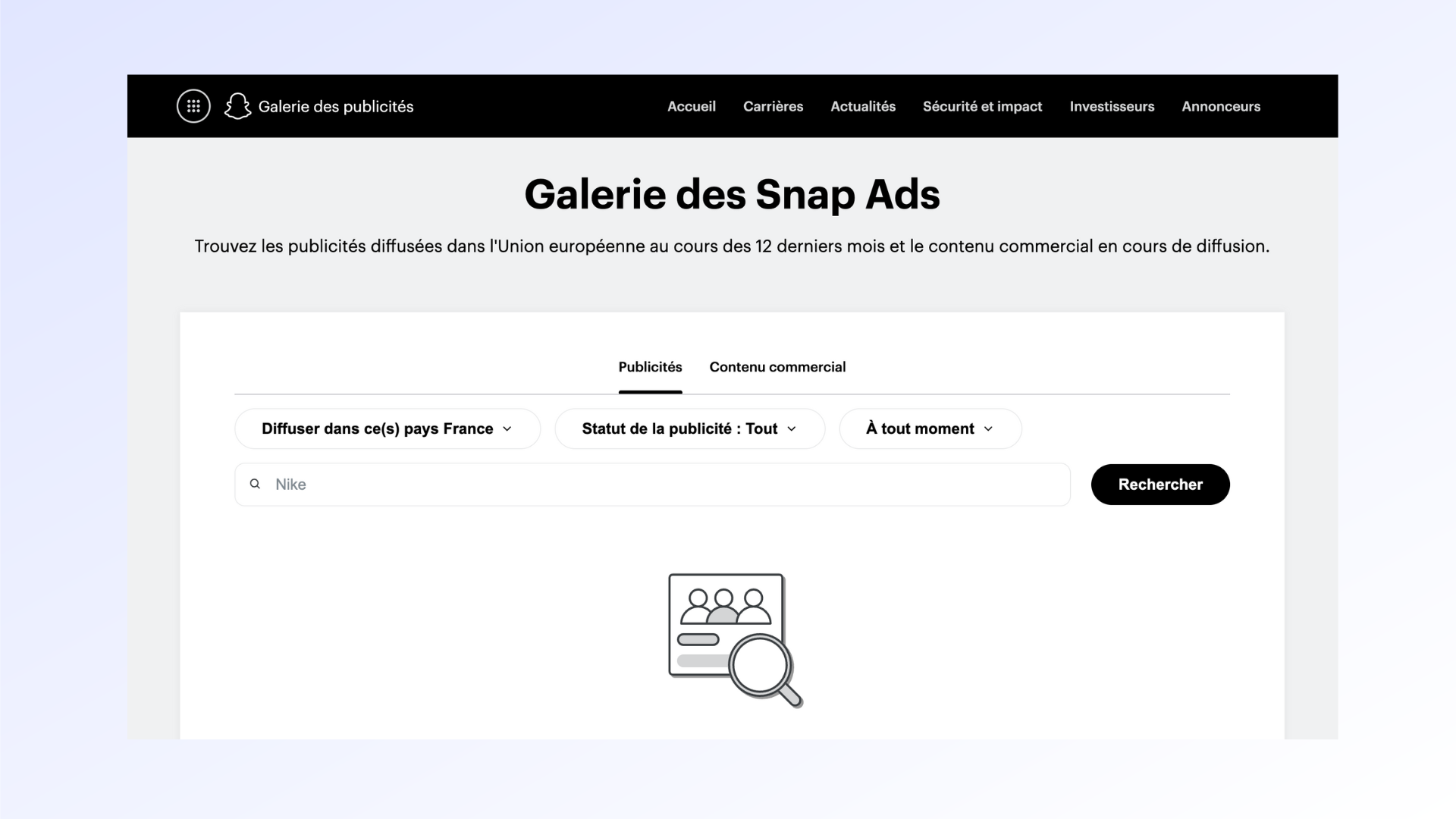
The Snapchat Ads ad library is a free tool, open to everyone, that lets you browse ads running on Snapchat. The Snapchat Ads ad library gives you access to information such as the advertiser's name, the run dates, the amount spent, the number of impressions, the target country, the ad format, and the link to the landing page.
How the Snapchat Ad Library Works
The Snapchat ad library works like a search engine that lets you filter ads by different criteria: the type of ad (political, electoral, issue-based, or advocacy), the run period, the target country, the advertiser's name, or a keyword. The Snapchat ad library then displays results as thumbnails that link to the details of each ad. The Snapchat ad library is updated daily and keeps a history of ads that have run since September 2018.
Maximizing Your Marketing Impact with the Ad Library
Optimizing Your Ads with the Snapchat Ads Library
The Snapchat ad library is a valuable tool for optimizing your Snapchat ads. It lets you draw inspiration from best practices and successful examples from other advertisers in your industry or target market. You can analyze what makes an ad effective, such as the headline, image, video, audio, call to action, or chosen format. You can also benchmark your performance against your competitors and spot opportunities to seize or areas that need improvement.
Reaching the Right Audience with the Ad Library
The Snapchat ad library also helps you reach the right audience for your Snapchat ads. It gives you insight into the preferences and expectations of Snapchat users based on their country, age, gender, or interests. You can then tailor your message, tone, and style to your target audience and create personalized and relevant ads. You can also refine your targeting strategy using data provided by the Snapchat ad library, such as impressions, click-through rates, cost per click, or cost per thousand impressions.
Benefits of Using the Snapchat Ad Library
Saving Time and Boosting Efficiency
Using the Snapchat ad library saves you time and makes your Snapchat ad creation and management more efficient. It keeps you from starting from scratch and guessing when it comes to your content, formats, or settings. It gives you a source of inspiration and reference that helps you create ads tailored to your goal, your budget, and your audience. It also makes it easier to track and optimize your ad campaigns by providing reliable and up-to-date data.
Improving Your Targeting Strategy
Using the Snapchat ad library lets you sharpen your targeting strategy on Snapchat. It gives you access to valuable information about Snapchat users, their behaviors, interests, and needs. This allows you to segment your audience and serve them ads tailored to their expectations. It also lets you test different scenarios and measure the impact of your choices on campaign results.
Accessing Useful Data and Insights
Using the Snapchat ad library gives you access to data and useful insights for your Snapchat marketing. It lets you understand market trends, industry best practices, opportunities to pursue, and pitfalls to avoid. It also lets you track how your ads perform over time, identify strengths and weaknesses, adjust your settings, or update your content based on your results.
.png)
Successful Case Studies Using the Snapchat Ads Library
Example 1: A Fashion Brand's Success Story
A French fashion brand used the Snapchat ad library to build an ad campaign aimed at boosting brand awareness and online sales among young women. The brand browsed the Snapchat ad library to draw inspiration from ads run by competitors and other brands popular with their target audience. They settled on a vertical video format with an upbeat soundtrack, a catchy headline, and a call to action driving users to visit their website. The brand also used the Snapchat ad library to refine its targeting based on the demographic, geographic, and behavioral data of female Snapchat users. The campaign was a success: it generated more than 10 million impressions, a click-through rate above the industry average, and a significant increase in web traffic and online sales.
Example 2: A Tech Company's Innovative Campaign
An American tech company used the Snapchat ad library to launch an innovative ad campaign promoting its new product: a smartwatch. The company browsed the Snapchat ad library to find original and creative ways to showcase its product. They went with a Lens format that allowed Snapchat users to virtually try the watch on their wrist using augmented reality. The company also used the Snapchat ad library to target users interested in technology, sports, or fashion. The campaign was a success: it reached more than 20 million users, achieved a high engagement rate, and generated a strong purchase intent for the product. The campaign also allowed the company to collect valuable data on user preferences and feedback.
Step-by-Step Guide to Getting Started with the Snapchat Ads Library
Creating a Snapchat Business Account
To start using the Snapchat ad library, you first need to create a Snapchat Business account. This is a free account that gives you access to the tools and resources you need to create and manage your Snapchat ads. To create a Snapchat Business account, follow these steps:
- Visit the Snapchat Business website and click "Sign Up"
- Fill out the form with your personal and professional information
- Verify your email address and phone number
- Create a username and password for your account
- Accept Snapchat's terms of service and privacy policy
Once your Snapchat Business account is created, you can access the Snapchat ad library by clicking the "Library" tab in the main menu.
Setting Up an Ad Campaign
To set up an ad campaign on Snapchat, you need to use Ads Manager, an online platform that lets you create, launch, and track your Snapchat ads. To set up an ad campaign, follow these steps:
- Click the "Create Ads" tab in the main Ads Manager menu
- Choose a campaign objective, such as awareness, consideration, or conversion
- Name your campaign and set your budget and schedule
- Create one or more ad sets, which correspond to subsets of your target audience
- Set the targeting, delivery, and bidding parameters for each ad set
- Create one or more creatives, which are the visual and audio content of your ads
- Submit your campaign for review by the Snapchat team
Once your campaign is approved, you can launch and edit it at any time from Ads Manager.
Using the Ad Library to Optimize Results
To use the ad library to optimize the results of your ad campaign, you should regularly review the data and insights the library provides. This way, you can:
- Find ideas to improve your creatives, drawing inspiration from the best-performing or most original ads in your space or country
- Refine your targeting settings by analyzing the characteristics and behaviors of users who interact with your ads or your competitors' ads
- Measure the effectiveness of your ads by benchmarking your key metrics against industry or market standards
- Identify opportunities or threats by monitoring trends, new developments, or changes in the Snapchat advertising landscape
Conclusion
Snapchat Ads is a powerful marketing tool for reaching and engaging a young, loyal, and receptive audience. The Snapchat ad library is a free tool, open to everyone, that lets you browse, analyze, and draw inspiration from ads running on Snapchat. The Snapchat ad library helps you optimize your Snapchat ads by offering a source of inspiration, reference, and information. It also saves you time, improves your targeting strategy, and gives you access to useful data and insights.
If you want to start using the Snapchat ad library, you need to first create a Snapchat Business account and set up an ad campaign in Ads Manager. You can then use the Snapchat ad library to optimize your campaign results by drawing on best practices, refining your targeting, and measuring your effectiveness.
Don't wait — start leveraging the Snapchat ad library today to maximize your marketing impact on Snapchat!
Want support with your digital marketing strategy? Don't hesitate to reach out!
FAQs
Q: How does Snapchat Ads work?
A: Snapchat Ads works by displaying full-screen vertical ads that can run up to 3 minutes. These ads typically appear between or after snaps. If a user is interested, they can swipe up to download an app or visit a website.
Q: How do you advertise on Snapchat?
A: To advertise on Snapchat, you need to create a personal Snapchat account and a business account for your company. Then, choose your objective, budget, and audience. Design your ad creative and launch your campaign.


